Service

CRM for business — built around your process, not the other way around

Implementation of Apros CRM or a custom system, migration from Bitrix24/amoCRM/KeyCRM, integrations with your site and phone system. Not "install and leave" — we break down your sales process before configuring anything.

"We already have a CRM, but no one uses it"

There's one CRM problem we see all the time: "we already have a CRM, but no one uses it." Bitrix24 is installed, licenses are paid, a pipeline is set up somehow — but managers still track clients in spreadsheets or in their heads. The problem isn't the CRM. The problem is that the system was configured for the system, not for how sales actually happen.

Implementing CRM for a business isn't about configuring a few fields — it's about understanding how leads come in, who handles them, what happens between first contact and a closed deal, and where they fall through. Only after that comes the choice of system and its configuration. Otherwise you end up with a nice-looking admin panel that no one touches.

We offer three paths: Apros CRM — our own system with AI lead distribution and Telegram integration, built for small and mid-size teams; a custom CRM — if your business has a specific process that no off-the-shelf system covers well; and migration — if you're already on Bitrix24, amoCRM, or KeyCRM and want to either switch or get it properly configured.
What we do

Three paths to CRM implementation

  • Apros CRM

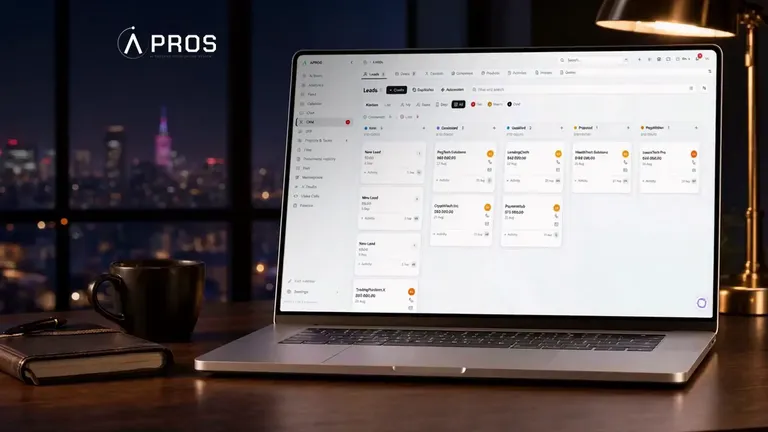
    Apricode's own CRM. Client records, deal pipeline, AI lead distribution, Telegram integration. A good fit for small and mid-size teams that need something simple and reliable, without the excess features of Bitrix24.

    Screenshots, demo, and details are on the product page.

  • Custom CRM

    If your sales process is non-standard and no existing system covers it well without expensive workarounds, we design and build a CRM around your specific process. More expensive and slower than Apros CRM, but the right call for specialized scenarios. We'll tell you honestly whether you actually need a custom system, after the audit.

  • Migration from Bitrix24 / amoCRM / KeyCRM

    You're already on a CRM and want to either switch or properly reconfigure what you have. We analyze the current setup, migrate the data — contacts, deals, notes — with verification, and configure the process correctly. No loss of your client base.

How we work

Five implementation steps — and the CRM becomes a living system

  1. Process audit

    We map out how sales actually happen: where leads come from, who handles them, where they fall through. We don't ask "which CRM do you want" — first we understand the task. Deliverable: a map of the current process and a list of system requirements.

  2. System selection and preparation

    Based on the audit, we recommend: Apros CRM, an upgrade of your existing system, or a custom build. If Apros CRM is the recommendation, we show a demo tailored to your case. If custom, a spec and an estimate. Deliverable: an agreed system choice + implementation plan.

  3. Setup and configuration

    A pipeline built for your sales process, fields, automations, access permissions. Deliverable: a configured system, ready to use.

  4. Data migration

    If you have an existing database — Excel, an old CRM, manual records — we migrate it. We check for duplicates and data integrity before switching over. Deliverable: your entire database in the new system, checked for duplicates.

  5. Team training

    An online session with managers and the team lead: daily usage, how to read reports, what to do in edge cases. Deliverable: a team that knows how to use the system, plus a recording of the session for new hires.

What we connect

CRM + your website and phone system

Integrations

  • Website — forms send leads straight into the CRM, source is captured automatically. If we built your site, it's a direct connection, no Zapier needed.
  • Telegram — new leads and status changes reach the manager through a Telegram bot. A reaction in seconds, no need to open a browser.
  • Phone system — we link calls to the CRM; we pick the right integration for your phone provider during the audit.
  • External forms — if you have several landing pages or forms on different platforms, we connect them via webhook.
  • Migration from existing CRMs — Bitrix24, amoCRM, KeyCRM: we migrate the data with checks for duplicates and integrity.

Who it's for

CRM for specific types of business

CRM for real estate agencies — properties, buyers, deals, viewing reminders. Integration with property listing portals. Websites for real estate agencies →

CRM for medical centers and clinics — patient scheduling, patient records, follow-up appointment reminders. Websites for clinics →

CRM for educational centers — a pipeline from application to enrollment, leads from the website, demo lesson reminders. Websites for schools and online courses →

CRM for agencies and studios — a single place for leads from the website, Telegram, email, and phone. No spreadsheets, no "wait, who messaged this client?"

FAQ

What people ask before implementing a CRM

Next step

30 minutes to figure out which CRM you need

  • 30 minutesOne-on-one online
  • Flexible formatVideo or phone call
  • Solution-focusedPractical answers
Where should we reach you?

Your data is protected and never shared with third parties.

About CRM implementation

CRM implementation for a business: what it actually means, and how not to waste your money

CRM implementation is a project about changing a team's habits, not a license purchase: new tools, a different way of tracking deals. Without that understanding, most CRM implementations for a business end up as an empty admin panel while the team keeps tracking clients in a spreadsheet.

The typical mistake when setting up a CRM is starting with the choice of system instead of a process audit. "Everyone uses Bitrix24, so we need it too" — the logic is understandable, but not always right. Bitrix24 is a mature platform that pays off where there's an administrator willing to work with it; without one, part of its modules just stay unopened. KeyCRM and amoCRM are simpler, and for many teams that's plenty — the only question is whether they fit your process. Apros CRM is our own system, built to cover the basics without unnecessary complexity.

Migration from Bitrix24 or amoCRM is a request we get often. The reasons vary: the system is too complex for the team, the price went up, or unused features have just piled up. Data migration is a separate step that needs to be done with verification: contacts, deals, notes, attached files. Without verification, you risk losing part of your database or ending up with duplicates.

CRM integration with your website is a key detail that often gets overlooked during implementation. If leads from a website form land in the CRM automatically and the manager gets a Telegram notification the moment it happens, response time drops dramatically. If a request has to be manually copied from email into the CRM, leads get lost or handled late.

CRM for a business is a tool, not magic. It solves one task: "don't lose a single client, and know exactly which stage every deal is at." Nothing more. Honestly, if you're a small team with 2-3 new leads a week, you might not need a CRM yet, and we'll say so. If you have more leads, several managers, and deals that take weeks to close, a CRM pays for itself quickly. If you're interested in a specific product, the demo, screenshots, and features are on the product page. Apros CRM — our CRM →

If you need broader automation — workflow, API integrations, Telegram bots — that's a separate area. Business process automation →