AI for business
AI assistants and chatbots where they pay off
A customer asks on your website about evening delivery and sees the reply in the morning, after ordering from a competitor. Meanwhile your accountant is retyping invoices into 1C. An AI assistant answers from your catalog and hands the manager a lead that is already sorted. AI reads the invoices on its own and leaves anything doubtful to a person. On the call we'll tell you where this pays off and where it doesn't.
Directions
Four areas where AI for business pays off
- Chatbots and AI assistants
Answer customers and qualify leads 24/7 — on the website, in Telegram, in your CRM. A voice or phone bot is a separate scenario for the same task. This is what "AI that works for you" really means: not just answering FAQs, but handing the manager a lead that's already sorted.
When it's NOT worth it: if inquiries are few and each one is unique, a bot won't pay for its own development — we'll say so directly.
- AI document processing and search
Extracts data from invoices, bills and forms — without manual entry into 1C. And finds what's needed from a description: a customer or manager searches the catalog or knowledge base in plain words, not exact matches. The clearest ROI among our directions: the data already exists, AI only has to read it.
When it's NOT worth it: if you handle a few documents a week and each one is a different type, entering them by hand is cheaper.
- AI in your CRM: lead scoring
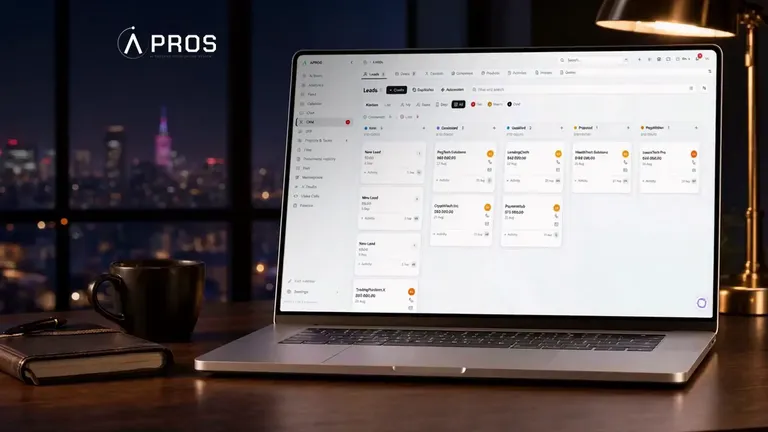
We help set up lead scoring and distribution among managers in your CRM, so a hot lead doesn't sit in the general pile. Every lead from this website goes through our Apros CRM. Lead scoring and auto-distribution are built into it too, so we know the setup from the inside.
When it's NOT worth it: if you get few requests and they all go to one manager, there's nothing to route.
- AI integrations and automation
We add AI to your website, CRM or 1C — without rebuilding from scratch. AI connects as one more service on top of what already works. "We need to rewrite everything" is the most common myth; it's almost never true.
When it's NOT worth it: if the system to connect to doesn't exist yet — first basic automation, then AI.
Pricing
How much a chatbot and other AI solutions cost
The price covers the task breakdown, connecting your data and channels, testing on real queries and launch. Support and model usage are billed separately, every month.
- 01Scripted website chatbotButtons and ready-made replies, lead capture, handoff to a manager15 000 ₴ – 35 000 ₴$360 – $8401–2 weeks
- 02AI consultant with a knowledge baseAnswers in free text from your catalog, price list and FAQ, hands anything unfamiliar to a person50 000 ₴ – 150 000 ₴$1 200 – $3 6003–6 weeks
- 03Chatbot supportAnswer edits, knowledge base updates, conversation monitoring. Model tokens are paid at actual usage, usually UAH 1,000–5,0003 000 ₴ – 10 000 ₴$70 – $240monthly
| Type | Price, ₴ | Price, $ | Timeline |
|---|---|---|---|
01 Scripted website chatbot Buttons and ready-made replies, lead capture, handoff to a manager | 15 000 ₴ – 35 000 ₴ | $360 – $840 | 1–2 weeks |
02 AI consultant with a knowledge base Answers in free text from your catalog, price list and FAQ, hands anything unfamiliar to a person | 50 000 ₴ – 150 000 ₴ | $1 200 – $3 600 | 3–6 weeks |
03 Chatbot support Answer edits, knowledge base updates, conversation monitoring. Model tokens are paid at actual usage, usually UAH 1,000–5,000 | 3 000 ₴ – 10 000 ₴ | $70 – $240 | monthly |
Document processing, AI search, demand forecasting and description generation are priced after we review your data, because its condition sets the cost. A pilot AI agent on one process costs UAH 60,000–120,000. We fix the amount after the brief, and you pay in stages.
Estimate your projectAll directions
All AI directions — pick your task
Each direction has its own page with examples and an honest line for "when it's NOT worth it".
Bots and assistants
In your systems
Real scenarios
What this looks like in your industry — task, AI action, result
Sales and support
- E-commerce. Customers ask dozens of times a day about stock, sizes and delivery times. The bot answers from the catalog and qualifies the inquiry — the manager sees a sorted request, not a raw email.
- Medical center. The front desk is swamped, calls queue up. The bot books appointments on Telegram around the clock — the receptionist is freed up, night bookings aren't lost.
- Services and real estate. First contact with a customer happens in seconds, not an hour: the bot clarifies details per your script and hands the manager an already-warm lead.
Documents and data
- Wholesale and logistics. A manager manually enters invoices into 1C. AI extracts line items from a PDF or photo — hours of manual work per day go back into actual work, not retyping.
- Real estate. Client forms and documents are scattered across email and folders. AI structures them into a database — matching a property to a request happens faster.
Search and routing
- Online course school. Students ask what's already in the materials. AI search over the course database answers on its own — fewer repeat support requests.
- Any sales department. All leads pile up together, managers sort them manually. The CRM scores leads and distributes them among managers, so a hot lead doesn't sit around.
How it's built
Why this works and isn't "AI for show"
Code built around your data and systems
- Control over answers. RAG: the solution checks your data first, then answers. It's not "trained" on your data — it looks up the fact in it every time before saying a word.
- Connects to what already exists. We integrate with your CRM, 1C, website, Telegram. Nothing gets rebuilt from scratch — AI connects as one more service.
- Confidentiality. Customer data doesn't go toward training public models. Access, storage and an NDA are in the contract before we start.
- This isn't "AI" for marketing. We build Apros CRM ourselves, and every lead from this website goes through it. We take on a project only where the solution pays for itself.
Will it pay off?
Not sure if you need AI? Let's find out together in 30 minutes

How we work
Five steps to launching an AI solution
Task breakdown
A 30-minute call: where you have routine work, what data already exists, which CRM and channels you use. We determine whether AI is needed at all and which direction to launch first. Deliverable: a list of scenarios + a stack recommendation + a rough budget and timeline range.
Prototype on your data
We build an MVP on your real data: connect the database, set up the first scenario, deploy to a test environment. You see a working solution, not a slide deck. Deliverable: a working prototype + the first test runs on your data.
Data from your sources
We load the catalog, documents, FAQ, scripts — whatever AI will work with. We test on live queries and fix anywhere the solution behaves incorrectly. Deliverable: the knowledge base in the system + a test log + a list of scenarios where AI hands off to a human.
Launch and monitoring
Production deployment: connection to the website, Telegram, CRM or 1C. After launch we review performance together daily and fine-tune. Deliverable: a solution in production + connected integrations + configured analytics.
Support and growth
AI isn't set up once and forgotten: data and prices change, scenarios grow. We support and develop it on a monthly retainer or hourly. Deliverable: an up-to-date knowledge base + regular quality reviews.
Case studies
What we have already built
FAQ
What businesses ask about implementing AI
Breakdown
Let's break down your scenarios with real examples
Learn more
Five tasks AI for business takes off your team's hands
Artificial intelligence for business works with your data. It answers a customer, reads a document, finds a product by meaning, forecasts demand and writes product descriptions. Below are five such tasks, and for each one we say plainly when you don't need it. A build that won't pay for itself hurts both you and us. The last section covers where to start.
A website chatbot that answers from your data
What the bot does on the site and when it hands over to a manager
The bot lives in a widget on your website and, if needed, answers in Telegram as well. It takes its knowledge from your catalog, price list and FAQ. Before every reply the bot checks the knowledge base and never makes text up. The model isn't retrained on your data, it reads the relevant fragment each time.
Then the bot clarifies what the person needs and passes a sorted request to the manager in your CRM or Telegram. It doesn't invent answers to questions outside the knowledge base, it hands them straight to a person. If your customers call more often than they write, you need a voice bot. What a website bot can do in general is covered in our article why a business needs a website chatbot.
How much a website chatbot costs and what drives the price
There are two types of bot, and they are priced differently. A scripted chatbot guides the person with buttons and ready-made replies. It costs UAH 15,000–35,000 and takes 1–2 weeks to build. An AI consultant with a knowledge base answers in free text from your materials. It costs UAH 50,000–150,000 and takes 3–6 weeks.
Within the range, the price depends on the size of the knowledge base, the number of channels, CRM integration and handoff to a manager with the conversation history. Separately, each month you pay for support, UAH 3,000–10,000, and for model tokens at actual usage. We fix the amount after the brief and you pay in stages, so there's no need to pay for the whole project up front. Ordering a chatbot starts with a brief that shows your data and channels. To get an estimate, just fill in the brief online.
When you don't need a chatbot
Inquiries are few, and each one is unique. There's no knowledge base to answer from yet. Your customers prefer to call. In these cases a bot won't pay for its development. Start with a CRM or a simple business-card bot: a Telegram bot takes requests and invents nothing. Or do nothing at all, and we'll tell you so directly.
Document recognition without manual entry into 1C
A supplier sends an invoice as a PDF or a photo, and someone types it into 1C by hand. AI reads the document in any form: PDF, scan, a phone photo taken at an angle. It returns exactly the fields you need, for example the number, date, counterparty, line items, amounts and VAT. The data goes into 1C, your CRM or a Google Sheet, and we write the integration for your system.
Regular OCR turns a scan into text, and fields are then pulled out by template, so the system breaks on an invoice from a new supplier. AI reads the meaning, so a new layout of the same invoice doesn't stop it. Where AI isn't sure about a figure, the field is highlighted and goes to a person, the rest passes through on its own. Every document lands in a log that shows what was extracted and what went for review. We described the mechanics in more detail in the article how AI reads documents.
We start by reviewing your real documents and running a pilot on one type, say invoices. Other types are added once the pilot works. We quote the price after the review, because formats and volume set it. It's not worth it if you get a few documents a week or each one is a new type with different fields. AI will handle a new layout of a familiar invoice, but the list of fields is set in advance. And if the data already arrives in digital form, there's nothing to recognize, an integration is enough.
AI catalog search that understands the customer's words
A customer types "spring jacket with a hood", and the product card says "windbreaker, mid-season". Regular search looks for matching words, shows "nothing found", and the customer leaves. Semantic search works with the meaning of the query: it understands synonyms, descriptions by purpose and typos. If the exact product isn't there, it shows the closest one by meaning. We collected the typical reasons for empty results in the article why search can't find the product.
Technically, both the product and the query are turned into vectors, and search picks the nearest ones. We index your catalog or knowledge base: course materials for a school, instructions for support, internal rules for your team. Search returns only what you actually have and invents nothing. Add a product and the index updates, nothing needs retraining. The log shows queries with no results, that is, what your catalog is missing. A separate article covers semantic search on a website in more detail.
First we review the catalog, then run a pilot on your problem queries with a before-and-after comparison. We'll name the price after the review. Search finds and shows, a person makes the decision. If the system also has to answer or act in your CRM, you need AI agents. And for a catalog of a few dozen items with filters, regular search will do the job on its own.
Demand forecasting and predictive analytics on your sales
Several years of sales sit in spreadsheets, purchasing is planned by eye, and then leftover stock gets written off. Demand forecasting calculates what will sell and how much, taking season, day of the week and promotions into account. Sales analytics shows what brings margin and what people buy together. Inquiry data shows when load peaks and where customers drop off.
Predictive analytics starts not with a model but with a data audit: how much history there is and how cleanly records were kept. Then we bring 1C, the CRM and spreadsheets into one source, and often that is the main part of the work. We test the model on history, checking how accurately it would have predicted what already happened. We show a range and confidence limits rather than a single nice number. You get a dashboard with the metrics you already use, refreshed on fresh data. Where plain statistics are enough, we don't push AI.
It's too early if records aren't kept or history is short: seasonal demand needs several full cycles. In that case, set up data collection first, most conveniently through CRM implementation, and come back to forecasting later. The cost becomes clear after the audit, because it depends on the state of your data.
Product descriptions and meta tags generated and proofread by a person
A thousand product cards without descriptions, empty meta tags, a catalog that needs a second language. Here content generation takes on the volume. Product descriptions are generated from the fields in your database using a template that sets length, tone and what must be mentioned. First comes a trial batch that you approve, then the full volume. The finished texts go back into your catalog or CMS. Where to start is laid out in the article how to fill an online store with products.
The model tends to add a feature the product doesn't have. That's why a person proofreads every text and checks the facts, and we never skip this step. Google judges how useful a text is, not how it was produced, so we don't publish an unchecked batch. Sales copy, brand voice or an expert article are better handed to copywriting, where AI gives you a rough draft at most. We'll tell you the cost once we see your catalog.
Where to start and what happens to your data
Every lead from this website goes through our own Apros CRM. AI agents with 15+ tools work inside it, strictly within their access rights. If something breaks in the system, we are the first to feel it. We've been building websites and business systems since 2016, with more than 500 projects behind us. Offices in Kharkiv and Kyiv.
We connect models through the OpenAI or Anthropic API under enterprise terms, so your data isn't used to train public models. Access, storage terms and an NDA are fixed in the contract before we start. AI is added as one more service to your website, CRM or 1C, with nothing rewritten. Often it becomes part of wider business process automation.
AI development with us starts with a 30-minute call. You tell us which routine eats your time, and we tell you whether it's worth tackling and where to start. You can book it with the form below.