tonKAton
From a look on the banner straight to the right shadeonline store · 2026
02 // about the project
online storeCombine inspiration with fast restocking.
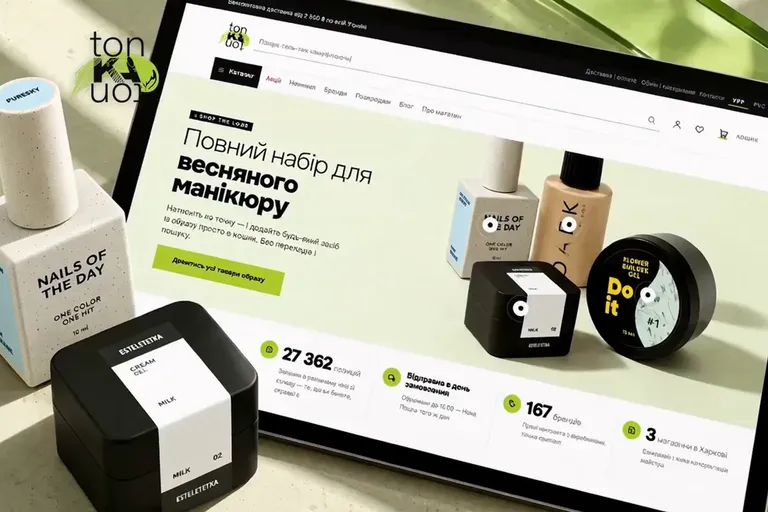
tonKAton is a professional cosmetics store in Kharkiv. Its customers may be looking for a new look, or rushing to get a specific base coat, top coat or shade that ran out right before an appointment. So at tonKAton the emotional storefront doesn’t get in the way of targeted search. The Shop the look banner shows a finished look, and interactive hotspots open the products used right on top of the photo.
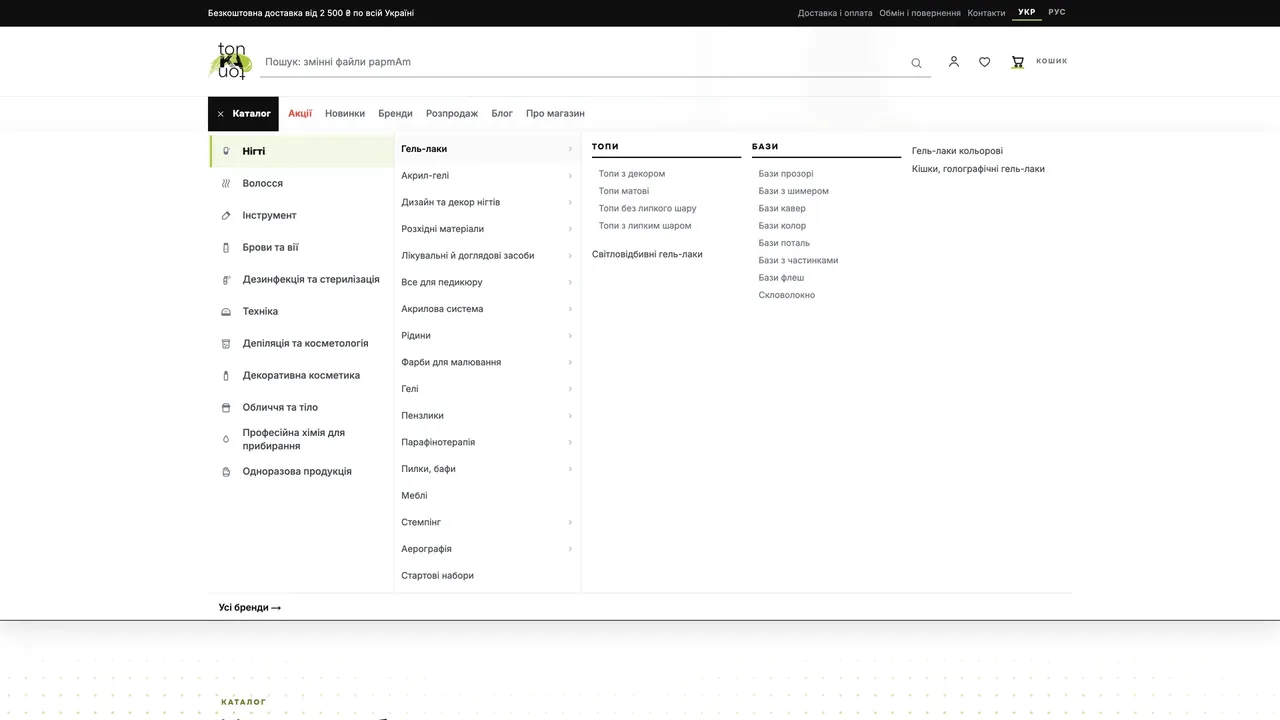
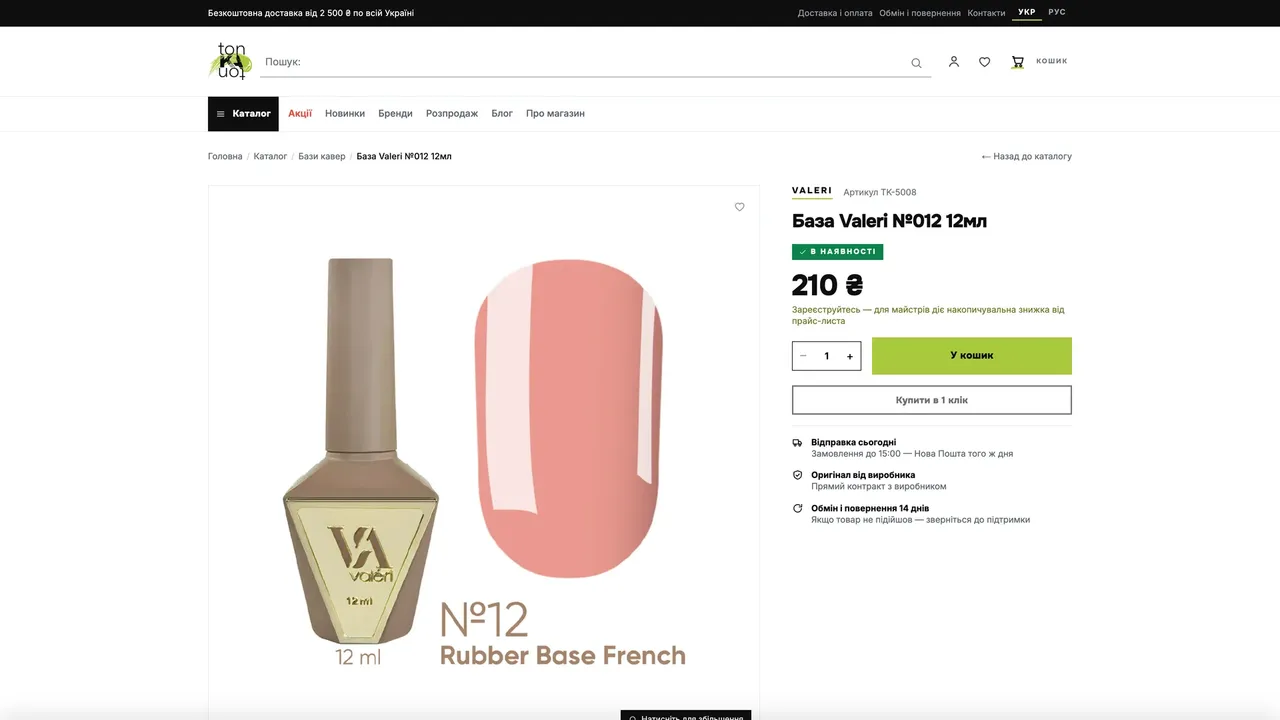
For precise searches there is a multi-level menu, brand pages, search and filters by price, shade and volume. The product card is built around the purchase decision, so the color photo, price, availability and the buy button fit on one screen. Apricode was responsible for the structure, UX/UI and building the store on its own Apricore platform.
Apricode created a store where the visual presentation and everyday purchasing support each other. A new product can be opened straight from a look, and a familiar one found through the catalog, a brand page or search. Products, stock and orders run in one Apricore system.
03 // what we did
catalog structure, ux/ui, development and apricore setup- 01
Shop the look you can buy
A product from a finished look opens on the banner and goes into the cart without a catalog search.
- 02
Several ways into the range
A technician can start from the category, the brand, the product type or an exact name.
- 03
One-screen product card
Shade, price, availability and the main action sit side by side.
- 04
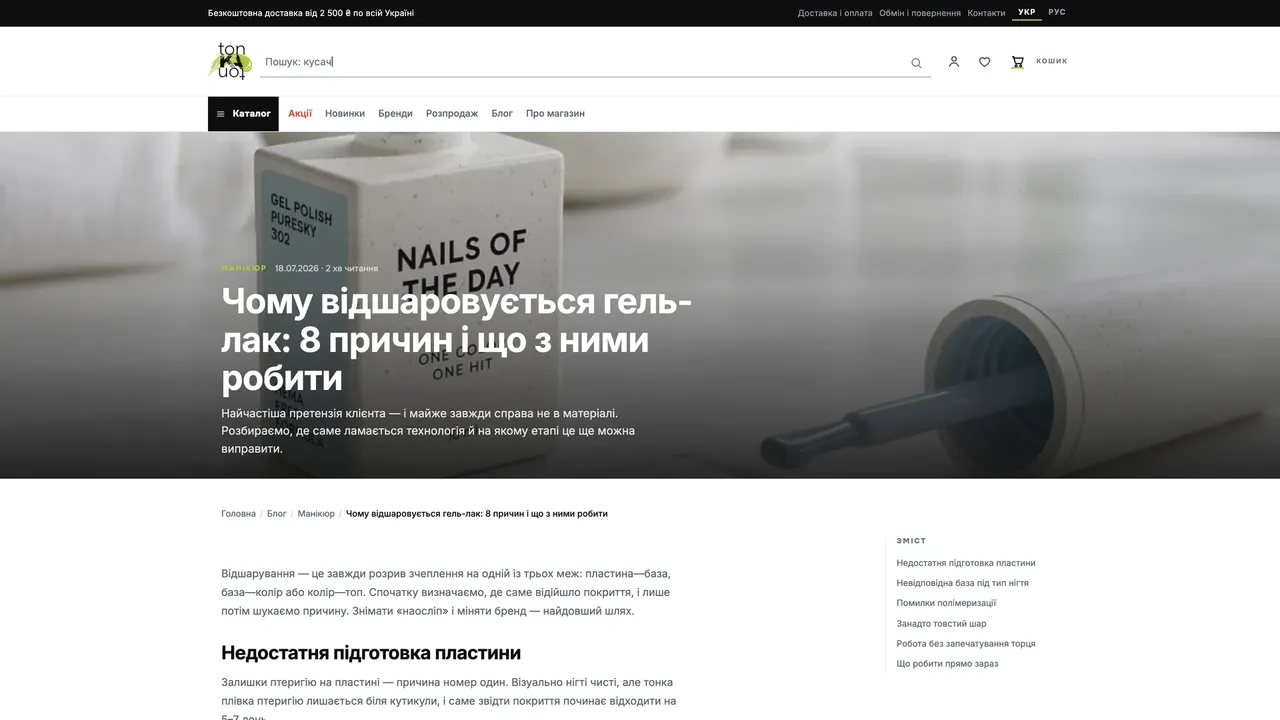
Blog for pros
Articles answer technicians’ work questions and lead to the right product.
04 // screens
tonkaton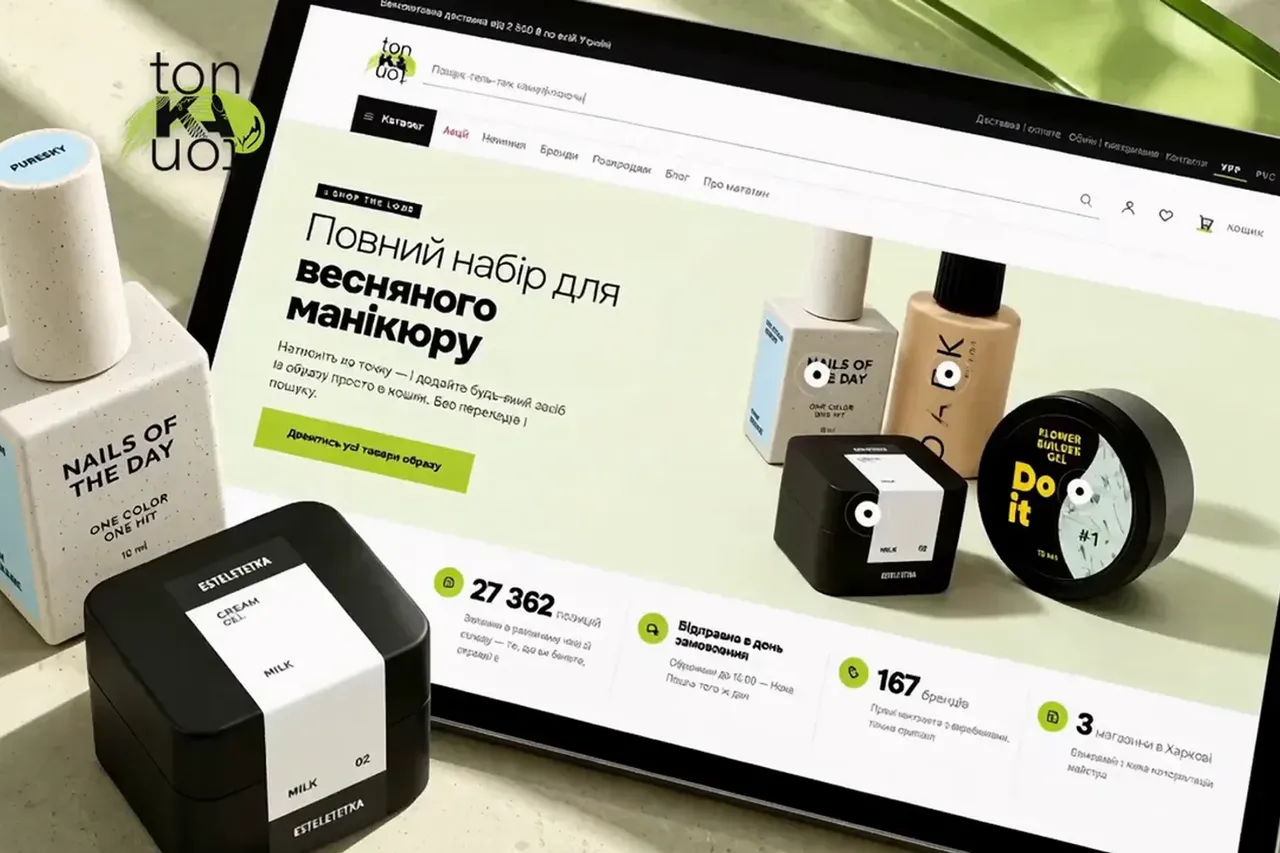


05 // how it works
4 steps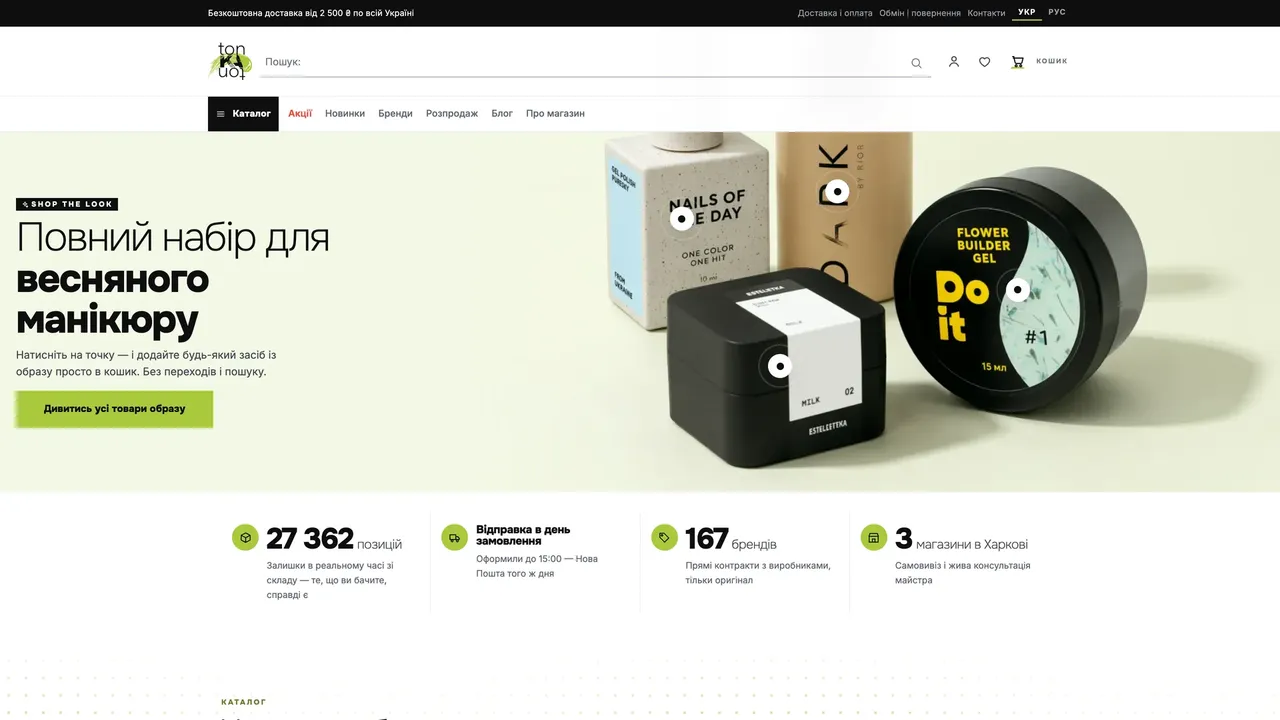
Need a similar project?
30 minutes on Zoom: we’ll go through the task, show how we would do it for you, and name the timeline and cost.